
Warranty software + managed coordination
Home builder warranty software. We handle the follow-up.
Homeowners report issues in Lucera. Your team reviews the decisions that matter. Lucera manages the back-and-forth with homeowners and trades, schedules approved visits, and follows through to completion.
A builder workspace, homeowner portal, and managed follow-up in one service.
The warranty workflow
From homeowner report to completed repair.
01
Give homeowners one place to report an issue
Homeowners can send a request with photos and follow its progress in their portal. Lucera gathers missing details so the next person has useful context.
02
Bring the important decision to your team
Lucera reviews the request alongside your warranty information and prepares a proposed next step. Your team decides on material coverage, goodwill, and spending.
03
Coordinate the approved work
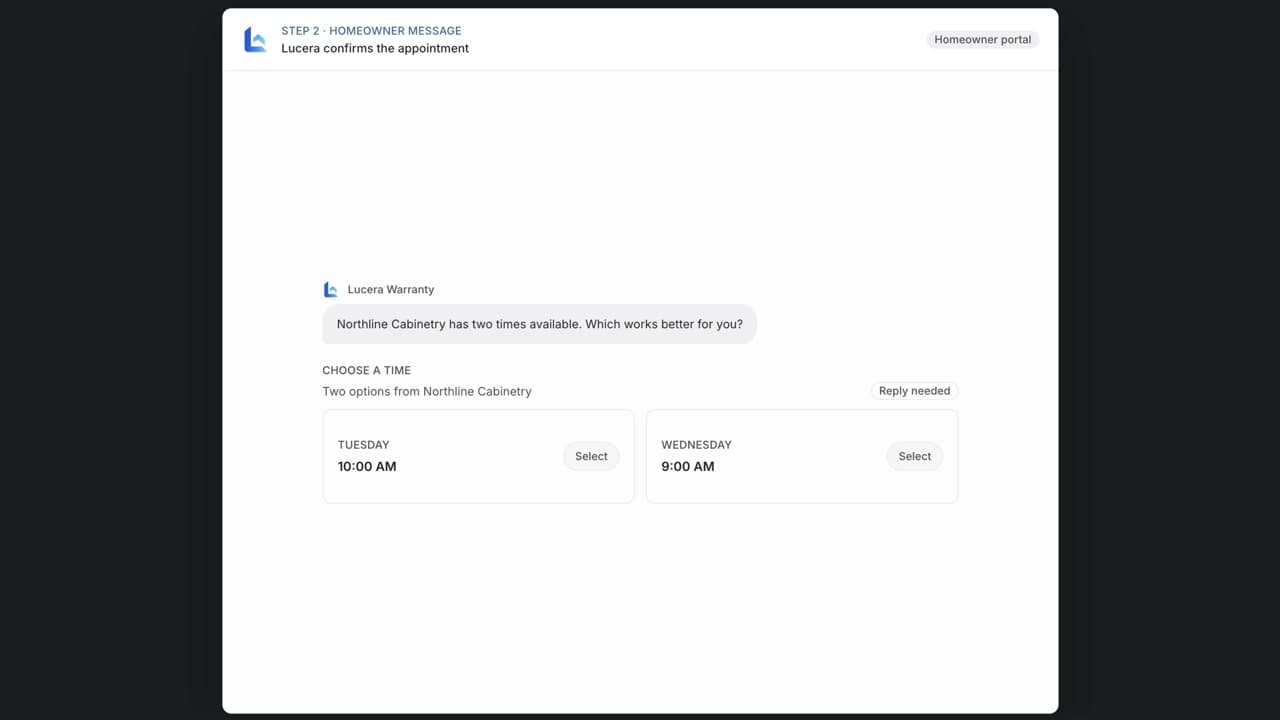
Lucera contacts the responsible trade, works through appointment availability, and keeps the homeowner informed. Your staff can see what is happening without chasing each update.
04
Follow through and keep the record
After a visit, Lucera collects the outcome and checks whether the issue is resolved. Messages, decisions, appointments, and repair findings stay with the request.
Less coordination, full visibility
Hand off the follow-up. Keep the important calls.
Your team decides
- Material coverage and goodwill decisions
- Repair spending and exceptions
- When a field assessment is needed
Lucera coordinates
- Request intake and missing information
- Homeowner updates and trade scheduling
- Reminders, repair follow-up, and records
For the people living in the home
Homeowners know what happens next.
Getting started
Start with your next few homes.
- 01
Talk through your workflow
Talk through your homes, warranty volume, vendors, and where your team gets pulled in.
- 02
Set up your first homes
Bring your warranty documents, homeowner details, and vendor assignments. We help get the information in place.
- 03
Confirm the boundaries
Agree on coverage policies, approval responsibilities, the service term, and pricing before homes are activated.
- 04
Give homeowners a clear place to go
Homeowners get their portal. Lucera handles the coordination, and your team follows the work in the builder workspace.
See whether Lucera fits
Show us how your builder handles warranty today.
Comparing warranty options?
Our free Excel scorecard helps you record what each provider demonstrates, what your staff would still do, and any requirements left unanswered.
Download the Excel scorecardNeed a closer comparison? See how Lucera compares with Buildertrend or AvidWarranty.
Comparing providers? Read the software and services shortlist and compare annual staffing and service budgets with the warranty staffing cost calculator.
Let’s talk about your homes
Put your next warranty request
in good hands.
Talk through how Lucera can handle your warranty workload and help your team put the lessons to use.