
Comparison
Best Home Builder Warranty Software
Compare Lucera, Buildertrend, ECI AvidWarranty, Verisk Punchlist Manager, WarrantyHub, ProHome, and 2-10 NewHome Care. What each does well, where it falls short, and which fits your home building business.
By LuceraUpdated
On this page
The best home builder warranty software overall, based on our research, is Lucera, for its managed homeowner and trade coordination. Lucera owns routine follow-up from request to closeout, so you make the important decisions instead of managing another dashboard and to-do list. We recommend it to builders who want to grow without warranty consuming their day, keep homeowner service consistent through staff changes, and learn from repairs to build better homes. We make Lucera, so this is our own recommendation.
Warranty can become a bottleneck as your home count grows. A homeowner texts a photo, a trade misses an appointment, and a superintendent leaves the next job to chase an update. Slow or inconsistent follow-up can erode homeowner trust and referrals. If the process lives with one coordinator, a departure can leave your team rebuilding it.
For builders running warranty internally, Buildertrend is a useful first choice if you already use it. ECI AvidWarranty, Verisk Punchlist Manager, and WarrantyHub offer dedicated workflows. These tools organize and automate parts of the work; an internal owner still handles unresolved requests. ProHome is another managed option, especially when field walks and after-hours support matter. 2-10 NewHome Care combines warranty administration specialists and technology. Choose around who will own completion.
We compared seven options using their documented intake, homeowner and trade workflows, coordination responsibilities, system fit, and public pricing. This guide explains where each belongs on your shortlist and what to ask before committing.
Quick comparison
Scroll the table horizontally to see all columns.
| Compare | Software + managed coordination | Software your team operates |
|---|---|---|
| Options | Lucera, ProHome, 2-10 NewHome Care | Buildertrend, ECI AvidWarranty, Verisk Punchlist Manager, WarrantyHub |
| Daily follow-up | Provider owns the coordination agreed in the service scope. | Your internal owner uses the platform’s workflow and automation. |
| Unresolved requests | Provider owns the agreed next actions and brings required decisions to your builder. | Your internal owner handles what the workflow or automation does not resolve. |
| Builder decisions | Agree on coverage, spending, and exception authority. | Set internal approvers and escalation rules. |
| Field work | ProHome documents local walks. Lucera uses builder-approved field professionals. | Your builder and trades supply field and repair capacity. |
| Price | Scoped proposals. | WarrantyHub: $549 or $849/month. Other reviewed options: ask for a quote. |
WarrantyHub quotes onboarding separately; Professional adds contractor portals and automated dispatch. Confirm the features and costs in the proposal you are comparing.
At a glance
- Lucera (ours)
- Managed coordination from request to closeout, with builder control over important decisions. Scoped proposal.
- Buildertrend
- Warranty inside your existing construction platform. Custom quote.
- ECI AvidWarranty
- AI-assisted intake, standalone or with MarkSystems. Ask ECI for pricing.
- Verisk Punchlist Manager
- Warranty and QA in one workflow. Contact sales for pricing.
- WarrantyHub
- Dedicated post-close tools. Essentials $549/month; Professional $849/month.
- ProHome
- Managed field walks, scheduling, and after-hours support. Scoped proposal.
- 2-10 NewHome Care
- Managed warranty administration and intake within a 2-10 builder relationship. Ask for a service quote.
1. Lucera
Best for: Builders who want software and a service that owns routine homeowner and trade coordination.
Lucera gives your team a warranty workspace and homeowners a place to report issues and follow progress. The managed service gathers missing information, keeps homeowners updated, schedules approved trade visits, and follows up on completion.
A dashboard can show an overdue task. Lucera owns the next action: collecting missing information, following up with an unanswered trade, arranging the next approved visit, and checking the result. Routine coordination keeps moving between your check-ins. Your team comes in for material coverage, repair spending, goodwill, and exceptions.
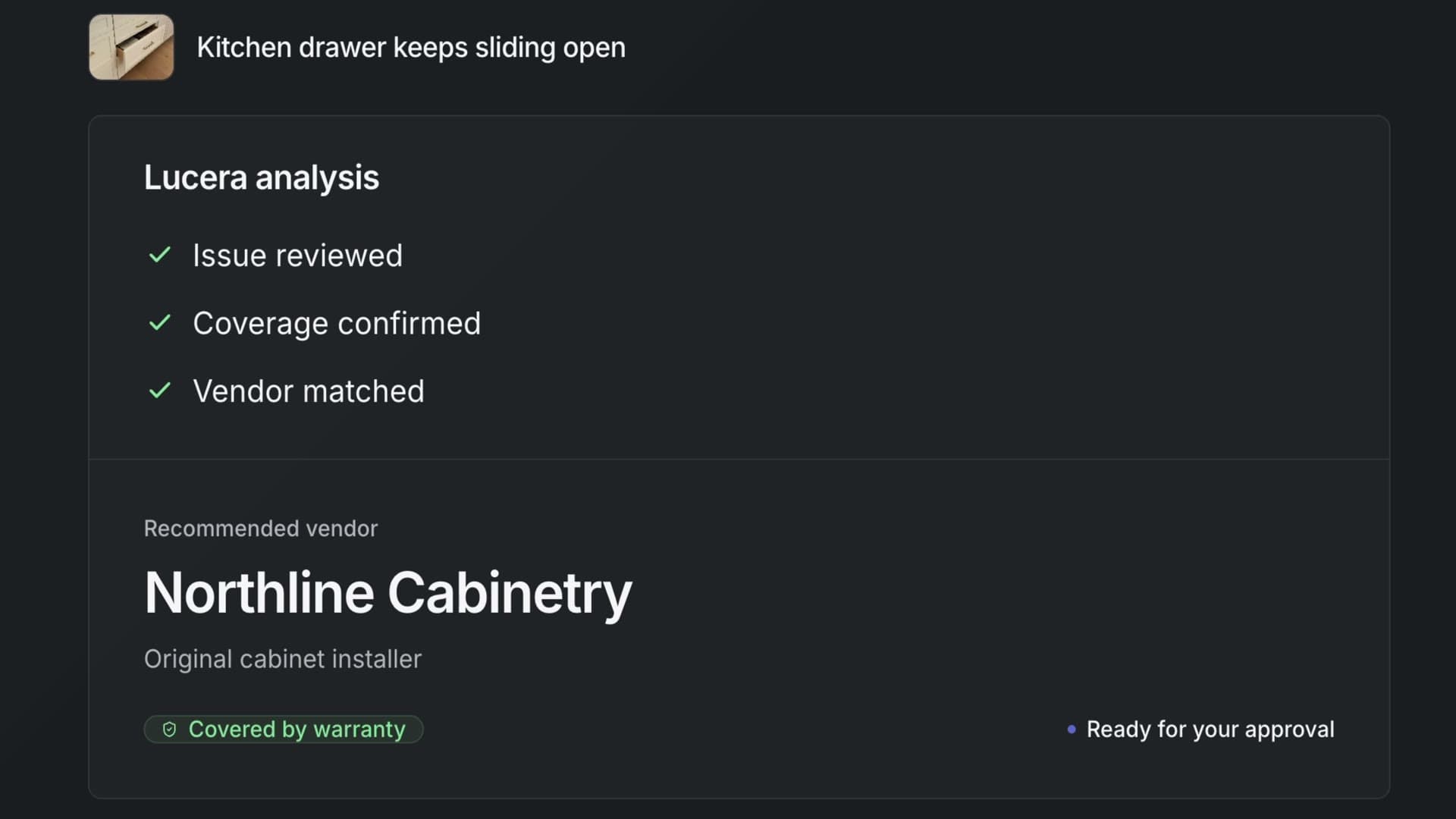
A growing builder needs a repeatable operation. Messages, decisions, appointments, and repair findings stay in the shared workspace as staff change. Reviewed lessons can inform future claims, and the accumulated history gives your team evidence for improving the homes you build. See how we put warranty experience to work, and use the warranty KPI guide to define the response, follow-up, and recurring-issue measures you want to evaluate.
The tradeoff is that Lucera needs accurate home, warranty, and trade records plus available builder decision makers. Qualified assessment and repairs stay with trades and builder-approved field professionals. Site visits and native construction-system integrations need explicit scope.
To compare hiring a coordinator with a managed service, use our free warranty staffing cost calculator. You can also watch the illustrative workflow before asking us to demonstrate your own request.
Platform: Web builder workspace and homeowner portal, with managed coordination.
Price: A scoped proposal based on enrolled homes and agreed work. Repair and field costs are separate unless expressly included.
Worth it if: You want to grow with less warranty work on your team’s plate, consistent homeowner service, and a process that does not live in one coordinator’s inbox.
2. Buildertrend
Best for: Builders already using Buildertrend who have someone to run warranty internally.
Buildertrend’s warranty workflow connects claims, attachments, service appointments, follow-up dates, and client feedback. Clients and subcontractors can participate through their portals.
Its practical advantage is keeping warranty close to the project records your team already uses. Before adding another system, see whether the existing workflow gives your coordinator the information and next actions they need.
The limitation is the work your staff retains. An internal service coordinator manages the claim, and your team needs capacity to chase unanswered trades and handle incomplete repairs. Read the Lucera vs. Buildertrend comparison for the responsibility split.
Platform: Construction platform with client and subcontractor portals.
Price: Custom quote. Confirm warranty access under your current or proposed plan.
Worth it if: Buildertrend already holds your project information and your coordinator can own the daily follow-up.
3. ECI AvidWarranty
Best for: Internal warranty teams seeking AI-assisted intake, especially builders using MarkSystems.
AvidWarranty brings text, email, and portal submissions into a shared dashboard. ECI documents AI triage, homeowner communication, standalone availability, and MarkSystems integration.
That makes it a relevant shortlist option when intake and initial triage create work for your team, or when warranty information needs to fit the ECI systems you already operate.
The buying decision still includes configuration and escalation ownership. Ask what happens when the AI cannot resolve a request and who handles the next action. Confirm the data flow in the exact integration you would buy. The Lucera vs. AvidWarranty comparison goes deeper on operating responsibilities.
Platform: Standalone warranty platform or MarkSystems integration.
Price: Ask ECI for a quote; the reviewed overview does not list a dollar rate.
Worth it if: You want dedicated intake and triage tools for a warranty operation your team will run.
4. Verisk Punchlist Manager
Best for: Teams that want inspection and QA records connected to post-close warranty work.
Verisk Punchlist Manager covers QA walks, warranty item tracking, homeowner and vendor portals, automated tasks, correspondence records, and reporting.
Keeping those workflows together can be useful when the same team handles inspection findings before closing and homeowner requests afterward. In a demo, follow an inspection item into the warranty queue and check what history carries over.
The broader scope also requires configuration. Your builder needs to define inspection formats, routing, and exception handling, then supply the field and repair capacity. Confirm your integration requirements and the implementation work included in the proposal. See the Lucera vs. Punchlist Manager comparison for retained work and transition questions.
Platform: Warranty and QA software with homeowner and vendor portals.
Price: Contact sales; the reviewed product page does not list a dollar rate.
Worth it if: Your internal team wants warranty and quality assurance in the same operating workflow.
5. WarrantyHub
Best for: Builders seeking dedicated post-close software with published subscription prices.
WarrantyHub’s builder workflow includes homeowner photo submissions, trade work orders, SMS routing, mobile completion updates, and community tracking.
Its published plan prices make an initial budget discussion easier. But check which tier buys the workflow you need: contractor portals, automated dispatch, and API access are listed on Professional.
Your team still needs to own decisions and requests that automation does not resolve. Ask to see a failed appointment in the plan you would actually buy, and confirm the claim-volume counting period, allowance, and overage terms in the quote.
Compare Lucera with WarrantyHub for a closer look at scope, retained work, and cost.
Platform: Dedicated warranty software with homeowner and contractor workflows, depending on plan.
Price: Essentials $549/month; Professional $849/month. Onboarding is quoted separately; Enterprise has custom pricing.
Worth it if: You will run warranty internally and want a focused platform alongside your construction system.
6. ProHome
Best for: Builders who want managed warranty with local field walks and after-hours support.
ProHome’s builder service combines local field agents, a client service team, and ProHomeLive records. Its service team is described as owning scheduling from the first call through the completed visit.
Field participation is the important distinction to evaluate. Ask what walks, homeowner calls, and after-hours response would look like in the communities you actually build in.
The tradeoff is that the local scope matters. Confirm field availability, visit frequency, response commitments, repair charges, and authority over coverage and goodwill. Those details can make two managed-service proposals materially different.
Compare Lucera with ProHome for a closer look at scope, retained work, and cost.
Platform: Managed builder service supported by ProHomeLive warranty CRM.
Price: Request a scoped proposal; the reviewed builder page does not list a dollar rate.
Worth it if: Homeowner-facing walks and after-hours support belong in the service you want to outsource.
7. 2-10 NewHome Care
Best for: Builders evaluating managed warranty administration within a 2-10 Home Buyers Warranty relationship.
2-10 NewHome Care combines smart intake, request workflows, communication, reporting, and a dedicated warranty administration team. It is a service supported by technology, not just an intake portal.
Our assessment: it belongs on the shortlist when you already use 2-10 and want to understand how much post-closing work its specialists can take on. Ask who owns dispatch, unanswered trades, unsuccessful visits, and final closeout in your specific program.
Keep coordination service and structural warranty coverage separate. Lucera does not replace insurance-backed coverage. The Lucera vs. 2-10 comparison explains the retained work, existing-program questions, and possible handoff.
Platform: Builder service with intake and request-management technology.
Price: Ask for a scoped NewHome Care quote, distinct from coverage premiums.
Worth it if: Your proposed 2-10 service covers the coordination your team needs to delegate.
How to pick the right warranty software
Choose around the work your team wants to own after closing. The right tool or service should fit your staffing, existing systems, and the requests that actually interrupt your week.
Who will run the queue? If a coordinator owns daily follow-up, evaluate the software they will use. If the owner or superintendent is carrying the work between other jobs, include a managed service. Our guide to warranty ownership helps you make that staffing decision.
What system do you already use? Buildertrend users should evaluate its warranty workflow before adding another tool. MarkSystems users should include AvidWarranty. For a separate system, agree on how home, trade, and open-request records will move between your tools.
What does coordination cost today? Compare proposals for the same homes and service period. Add setup, software or service fees, retained staff time, and separate field and repair work. The staffing cost calculator compares the annual staffing and service budgets; the cost worksheet covers the fuller ledger.
Can it handle a request that goes wrong? Use this fictional example in each demo: a homeowner reports a rubbing cabinet door with an unclear photo, the builder must approve an assessment, the trade declines the first appointment, and the homeowner says the issue remains after the visit. Watch who gathers details, gets approval, reschedules, and keeps the unresolved work visible.
Ask to see the homeowner and trade experience as well as the office dashboard. Then record demonstrated support, workarounds, and unanswered questions in the free Excel evaluation scorecard. For AI-assisted workflows, the AI guide for home builders shows what to check in intake, decisions, and follow-through.
Warranty software, warranty management, or managed warranty service?
These terms describe related parts of the same builder workflow. Warranty software is the system for requests, records, appointments, and updates. Warranty management is the wider process: who reviews issues, approves work, coordinates trades, and checks completion. A managed warranty service adds a provider that owns agreed parts of that daily operation.
The important difference is responsibility. Our service vs. software comparison explains the split, while the construction warranty management guide covers the broader lifecycle. This article focuses on residential-builder requests after closing; homeowner appliance plans and structural warranty insurance serve other needs.
Our verdict
For builders whose warranty work keeps pulling people away from the next home, our recommendation is Lucera. We own the agreed routine coordination and keep important decisions with your team, so growth depends less on personally chasing requests or replacing a departing coordinator. Documented repair findings and reviewed lessons make warranty experience useful for improving future work.
If you want to run warranty internally, start with the platform your team already uses, then compare dedicated tools against the work it does not cover. If you need managed field walks or after-hours support, evaluate that scope with ProHome as well.
Bring the same request to two or three demos before committing. Check the next action, who performs it, what your staff still does, and how you get the complete history back. That gives you a useful comparison for your own builder.
Sources
Official vendor documentation below was reviewed October 5–6, 2026. We chose seven options with documented residential-builder workflows across construction platforms, dedicated warranty software, and managed services. We compared intake, participation, daily ownership, system fit, and pricing. This is a focused shortlist, not the entire market.
Recommendations are Lucera’s assessment. We have not run comparative trials, measured provider response times, or independently validated outcome claims. Our demo is illustrative. An omitted feature is unknown, not proof that a provider lacks it. Confirm current terms directly before buying.
- Lucera: product page, pricing and scope, and illustrative demo.
- Buildertrend: warranty documentation and pricing.
- ECI: AvidWarranty overview and FAQs.
- Verisk: Punchlist Manager capabilities.
- WarrantyHub: builder workflow and pricing and plan scope.
- ProHome: managed builder services.
- 2-10: NewHome Care service and technology.
The focus analogy is adapted from Jeff Bezos’s Startup School 2008 talk. This reference was checked October 6, 2026; the builder application is our interpretation.
Frequently asked questions
What is the best home builder warranty software?
The best home builder warranty software is Lucera for builders who want a warranty workspace and managed coordination together. We make Lucera, so this is our own assessment. For internal teams, Buildertrend is a useful starting point if you already use it; AvidWarranty, Punchlist Manager, and WarrantyHub are dedicated options to evaluate.
Can a small builder start with a free warranty tracker?
A shared log can work while one person reliably owns a manageable queue. Our free Excel warranty tracker includes a working download, preview, and setup instructions. The tracking guide explains how to run the queue. Move to a tool or service when follow-up, access, or reporting needs exceed what that process can support.
Can homeowners submit requests themselves?
Lucera has a homeowner portal for reporting issues and following progress. Buildertrend documents client-portal claims, and AvidWarranty documents text, email, and portal intake. Ask each provider to demonstrate the actual homeowner experience and how missing information gets collected.
Which option is best for trade coordination?
We recommend Lucera when you want to delegate approved scheduling and routine follow-up. ProHome is another managed option, especially when field walks and after-hours support matter. 2-10 NewHome Care also offers managed administration. For software, check both the scheduling tools and who on your team handles unanswered trades and failed visits.
Does software remove the need for a warranty coordinator?
Software can organize requests and automate steps, but someone must own unresolved work. A managed service can take on agreed coordination duties; your builder still needs decision makers and appropriate field capacity. The warranty coordinator guide explains those responsibilities.
Do I have to keep checking a dashboard to keep warranty moving?
Lucera owns the agreed routine communication, scheduling, and follow-up between your check-ins. We bring coverage, spending, goodwill, and exception decisions back to your team. You can inspect the history when you need it without managing every reminder.
How does Lucera support growth and staff changes?
Lucera keeps request history in a shared workspace and owns the agreed follow-up, reducing dependence on one employee’s inbox or memory. As you add homes, agree on enrollment, service capacity, trade availability, and escalation contacts with us. Reviewed repair lessons stay available to inform future work.
Can I keep my existing construction software?
Evaluate a warranty tool or service alongside your current system, and verify the record handoff. AvidWarranty documents MarkSystems integration. For any other proposed connection, ask which homes, trades, requests, and updates transfer, who maintains it, and what happens when a transfer fails.
How much does home builder warranty software cost?
WarrantyHub publishes $549/month for Essentials and $849/month for Professional, with separately quoted onboarding. Other reviewed options need a quote or scoped proposal. Compare retained staff time, setup, and separate field and repair costs alongside the fee.
Can I switch providers without losing my warranty history?
Make record access part of the buying decision. Ask for a sample export with messages, photos, decisions, appointments, and outcomes, plus a written migration and exit process. Confirm what comes back in usable files and what support or fees apply.